For Android · Made in India
Your paperwork,
sorted on your phone.
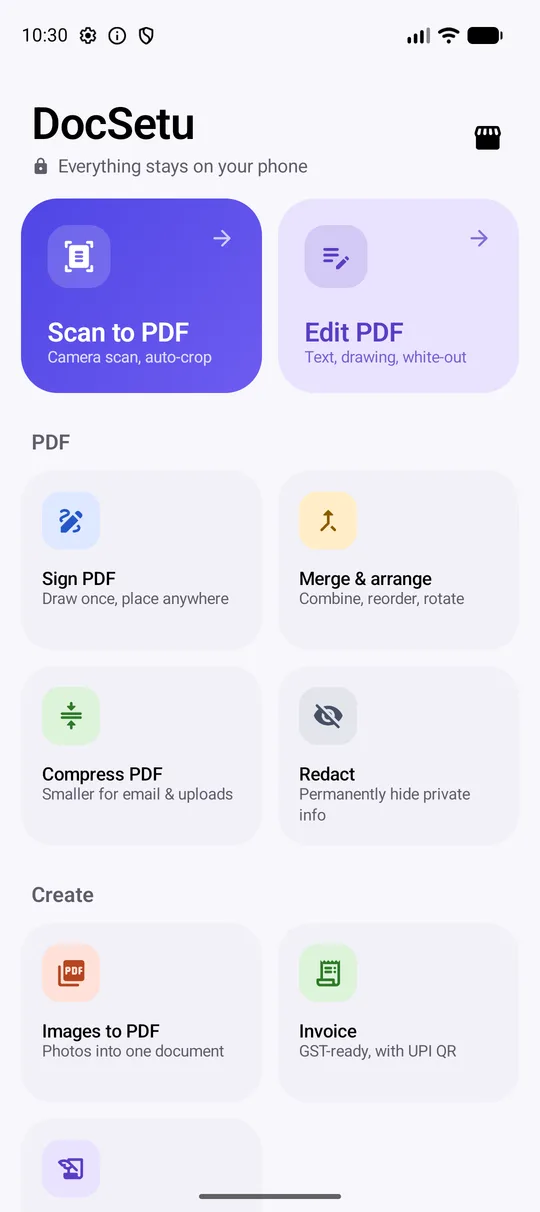
DocSetu writes GST invoices and authorization letters on your own letterhead, and edits, signs, scans, compresses and redacts PDFs. Everything happens on your phone. Your documents never touch a server.
GST
Invoices with CGST/SGST or IGST worked out for you
UPI
A scan-to-pay QR with the exact amount on every invoice
OCR
Read English, Hindi and Marathi text, offline
0 MB
of your documents uploaded. Ever.
Eleven tools, one app
The documents a small business deals with every day.
Create
Business paperwork on your letterhead, in about a minute.
Tax invoices
Tax invoice, invoice, proforma, quotation or estimate. HSN-wise tax, discounts, round-off, amount in words and your bank details.
Authorization letters
Bank work, document collection, government offices, RTO, meetings, or your own wording. Aadhaar shows only its last 4 digits.
Images to PDF
Photos, screenshots and iPhone HEIC pictures into one tidy document. Reorder, choose page size and margins.
Everything you used to need a computer for.
Edit
Add text, draw, highlight, white-out mistakes, drop in images. Move, resize and undo.
Sign
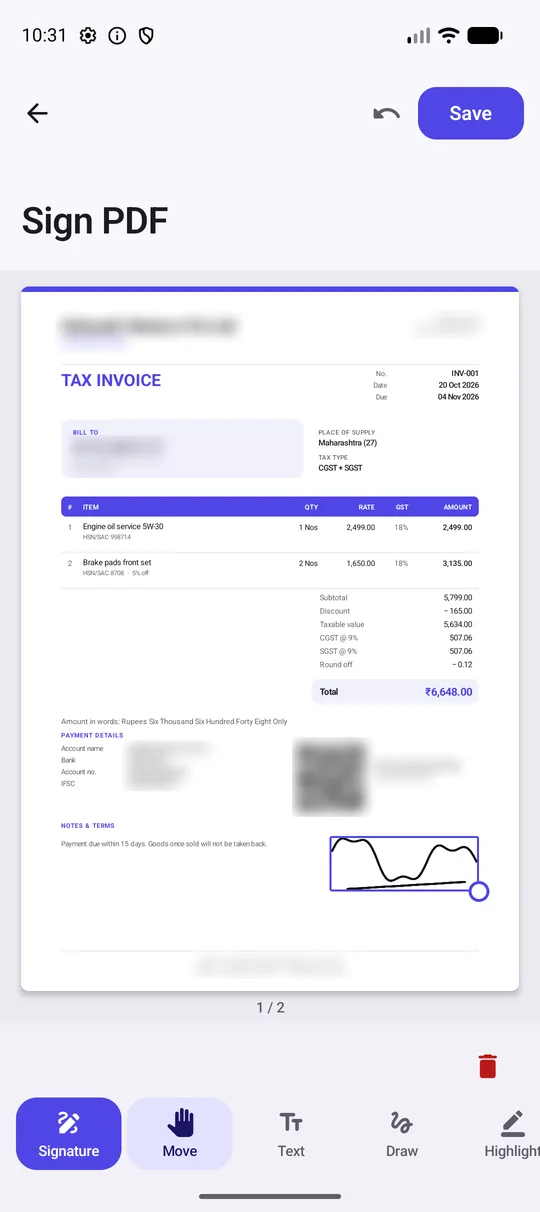
Draw your signature once. Place it on any page of any PDF, as often as you like.
Merge & arrange
Combine PDFs, then drag pages into order, rotate or delete them.
Compress
Shrink scans for email and upload limits while text stays sharp.
Redact
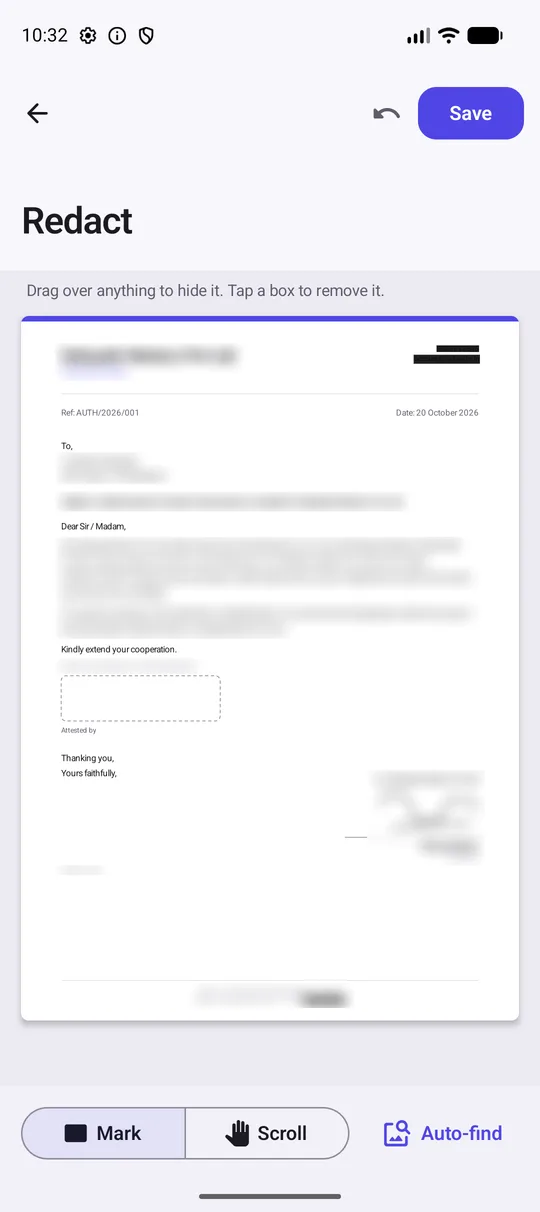
Black out Aadhaar, PAN, phone numbers or anything else, and the hidden text is removed from the file for good.
Scan & convert
Paper and photos into documents you can search and send.
Scan to PDF
Edges are found and straightened automatically. Make the scan searchable with one switch.
Extract text
Copy the words out of any photo, screenshot or PDF. Works without internet.
HEIC to JPG / PNG
Convert iPhone photos in batches. Location and camera details are removed.
Built for Indian businesses
Invoices and letters that look like you had them designed.
- Your logo, colour, address and GSTIN on every page.
- Same-state sales split into CGST and SGST, other states charged IGST, based on the place of supply.
- Customers pay by scanning a UPI QR that already has the amount in it.
- Running numbers for invoices and letters, and your customers remembered for next time.
- Sign once; your signature and company stamp are placed for you.
Private by design
Your documents stay on your phone.
Aadhaar cards, bank letters and customer invoices are exactly the files that shouldn't be uploaded to someone else's server. DocSetu does all of its work on the device: no account, no cloud, no ads.
Redaction is the real thing. Tap Auto-find to box every Aadhaar, PAN, phone number or email it can read, check the result, and save. The hidden text is gone from the file, not just covered up.
Read the privacy policy →Three steps, then it's habit
Add your business once
Name, logo, GSTIN, address, signature and UPI ID. Entering the GSTIN fills in your state and PAN.
Pick a tool
Every tool is one tap from home, and files shared from WhatsApp or email open straight into the right one.
Share it
Each document ends on one screen with Share and Open. Saved to Downloads/DocSetu too.
Questions
How much does DocSetu cost?
DocSetu is a one-time purchase on Google Play; the price is shown on the Play listing. Pay once and every tool is yours: no ads, no subscription, no account and no in-app upsells.
Do my documents leave my phone?
No. Editing, signing, redaction, OCR and invoice generation all happen on your phone. We don't run a server for your files and never see them. The Privacy Policy explains the details.
Are the invoices GST compliant?
Invoices include what a GST tax invoice needs: your GSTIN, the customer's GSTIN, place of supply, HSN/SAC codes, taxable value, CGST/SGST or IGST by rate, and the total in words. You're still responsible for the details you enter and for filing your returns.
Is redaction really permanent?
Yes. Most apps just draw a black box that can be removed or copied around. DocSetu redraws the affected pages so the hidden text is no longer in the file at all.
Which languages can it read?
English and other Latin-script languages, plus Hindi and Marathi (Devanagari). Recognition runs offline.
Can I run more than one business?
Yes. Keep several business profiles and switch between them. Each has its own letterhead, numbering and payment details.
More answers on the support page.
Bridge the paperwork.
Setu means bridge: between paper and PDF, and between your business and the people it deals with.